
From payday to the next clear decision.
Start with what is coming in, place what needs to go out, and see the effect on your running balance. Your plan stays editable when dates or amounts change.
Build a useful plan in three steps.
Add paychecks
Enter the dates and amounts you expect to receive. You can set up automatic paychecks for a repeating schedule.
Place payments
Add bills, their due dates, and planned pay dates. Assign them to a paycheck, or leave them unassigned until you know where they fit.
Watch the balance
The Planner shows the running balance as planned entries are accounted for. Update statuses as payments move from pending to posted.
Everything for a paycheck, together.
See the income, bills, dates, amounts, status, and remaining balance in the same view. Open a bill to add notes or supporting documents, and filter to items that still need payment or review.
See more features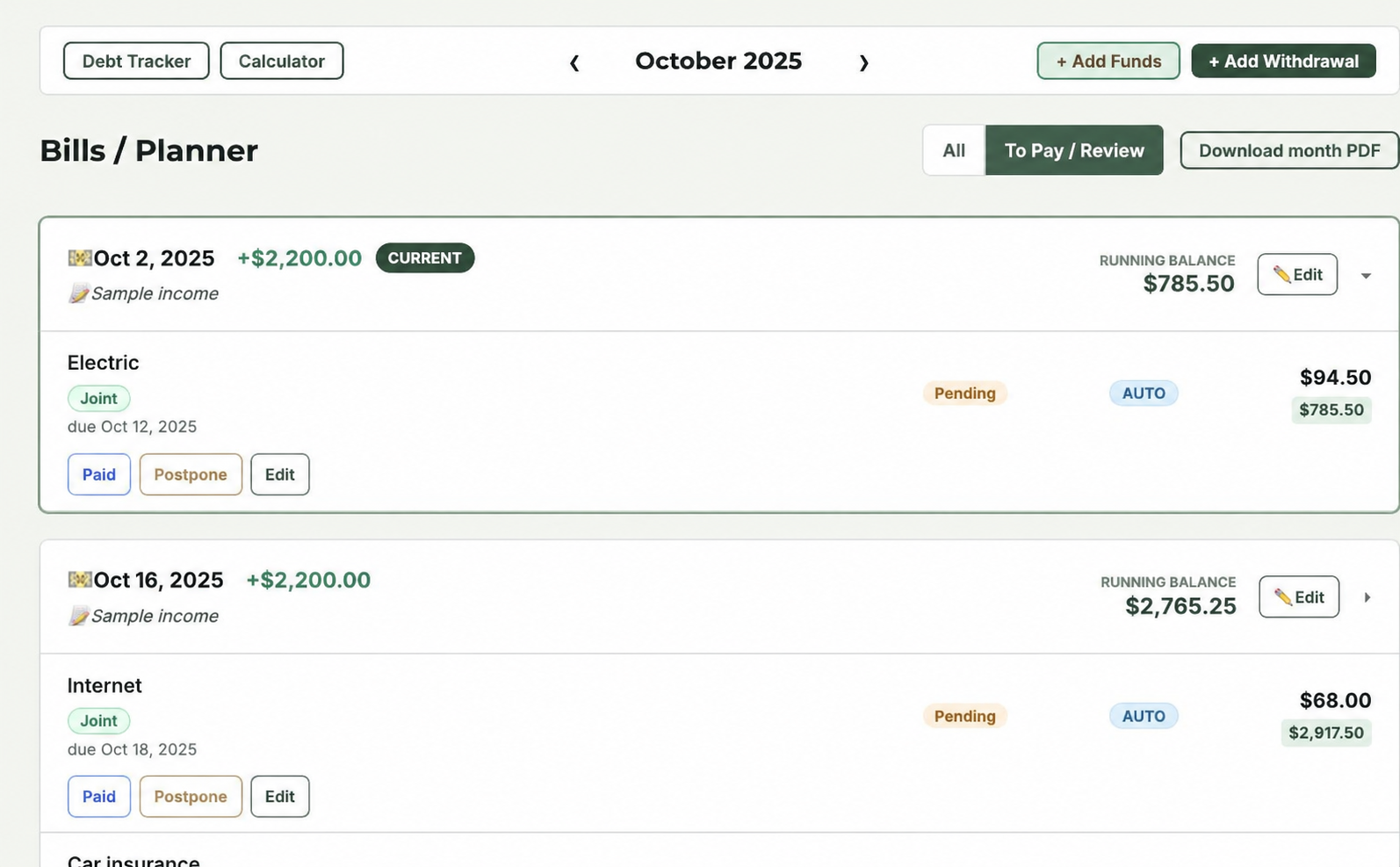
See the month in context.
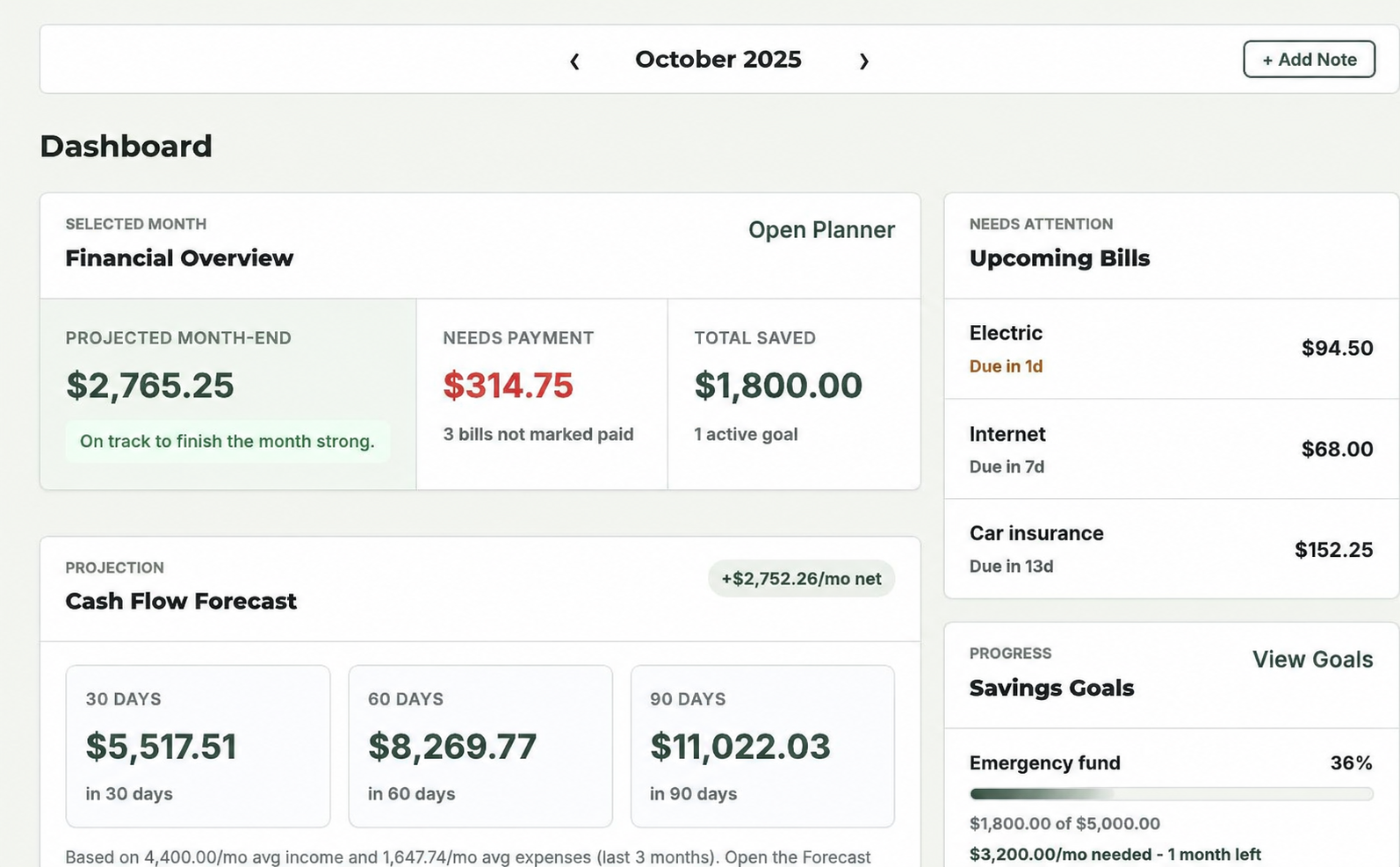
Return to the Dashboard to review upcoming bills and savings progress. Use Forecast to explore the possible effect of future expenses. These views reflect the information you keep in your ledger.
A brighter tomorrow starts with a clearer today.
Make a plan that follows your paychecks and fits your life.